Wave 73. Your base is at 40% health. Two blue Titans are on cooldown, and you need to buy a Railgun Titan fast to stop the rush. You press Q for the shop — and your ring finger leaves A, you stop strafing left. A boss laser hits you for 80% of your HP. You panic, mash the shop key again, and die. Your base falls 10 seconds later.
This scenario plays out thousands of times every day in Blockade Battlefront. The difference between dying at wave 60 and surviving to wave 100 often comes down to settings — not skill, not Titan knowledge. Your keybinds, camera distance, and graphics settings determine how fast you can react in the moments that matter.
Most players never touch the default controls. They inherit whatever the developer set and assume it’s good enough for ranked. It’s not. The default keybinds put your most-used actions on the worst possible keys. The default graphics settings cost you 15-20 FPS during late waves when you need frames most. The default camera leaves you blind to half the map.
This guide walks through every setting that matters — from the one keybind change that saves your life dozens of times per match, to the graphics tweak that makes wave 80 playable on a mid-range laptop.
PC Keybinds: Default vs Optimized
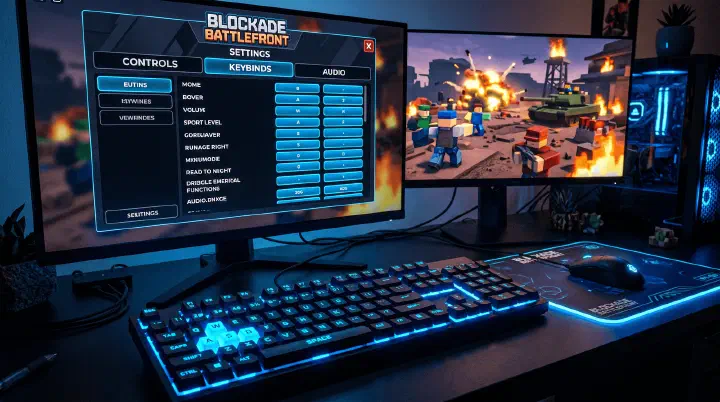
The default BBF keybinds put critical actions on keys that require moving your hand off WASD. Here’s what to change:
| Action | Default | Optimized | Why |
|---|---|---|---|
| Titan Shop | Q | Mouse Button 4 or F | Buy Titans without releasing movement keys |
| Titan Ability 1 | 1 | Mouse Button 5 | Instant activation, no reaching |
| Titan Ability 2 | 2 | R | R is unused in BBF, right next to WASD |
| Interact | E | E (keep) | Already perfect |
| Sprint | Left Shift | Left Shift (keep) | Standard across games |
| Map | M | Tab | Tab is faster to glance at than M |
| Ping | Middle Mouse | Middle Mouse (keep) | Standard |
Why Move Titan Shop Off Q
Q is the worst key for the most-used action in the game. You buy Titans constantly — during waves, between waves, while repositioning. Every time you press Q, your ring finger leaves A, you stop strafing left, and for 0.5 seconds you’re a stationary target. Moving it to a mouse button means you buy while maintaining full WASD movement.
Failure Analysis: Why Your Settings Are Killing You
Most BBF deaths follow repeatable patterns that trace back to specific control mistakes:
The Shop Death. You die while buying a Titan because your hand left WASD to press Q or 1-4 for shop. This is the #1 preventable death in BBF. Fix: bind shop to a mouse button or F.
The Slow-React Death. You see a boss targeting your base but can’t activate your Titan’s ability fast enough because you have to reach for the number row. Muscle memory to find keys 3, 4, and 5 under pressure takes 200-400ms longer than pressing a mouse button. Fix: bind Titan abilities to mouse side buttons.
The Tunnel Vision Death. You’re staring at the enemy lane and don’t notice a flanker coming from the other side because your camera distance is too close. Fix: set camera distance to 12-15 and FOV to 75-80.
The Frame Drop Death. Wave 80+ spawns 100+ enemies simultaneously. With Shadows ON and V-Sync enabled, your FPS drops to 15-20 exactly when you need smooth performance most. Fix: disable Shadows and V-Sync before attempting Hard or Nightmare runs.
Controller Settings (Console)
| Setting | Recommended | Why |
|---|---|---|
| Sensitivity | 6-7 | BBF doesn’t need precise aim — faster turning helps check lanes |
| Vibration | Off | Distracts during tense wave moments |
| Aim Assist | Off | Not needed — Titans auto-target |
| Control Scheme | Default | BBF’s default controller layout is decent |
| Button for Shop | D-Pad Up (default) | Works fine on controller |
Graphics Settings for Performance
BBF’s wave 70+ spawns 100+ enemies simultaneously. Bad graphics settings cause frame drops exactly when you need frames most.
| Setting | Value | FPS Impact |
|---|---|---|
| Graphics Mode | Manual | — |
| Shadows | OFF | +15-20 FPS |
| Textures | Low | +5-10 FPS |
| Anti-Aliasing | OFF | +5-8 FPS |
| Visual Effects | Low | +3-5 FPS |
| Frame Rate Cap | Match monitor (60/144/240) | Removes stutter |
| V-Sync (Roblox) | OFF | Removes input lag |
Camera Settings
| Setting | Value | Why |
|---|---|---|
| Camera Distance | 12-15 | Zoomed out enough to see both lanes |
| Camera Height | Default | Changing this messes with Titan placement perspective |
| Camera Shake | OFF | Unnecessary visual noise |
| Field of View | 70-80 | Wider = see more lanes, harder to click specific Titans |
Audio Settings
| Setting | Value | Why |
|---|---|---|
| Master Volume | 80% | |
| Sound Effects | 100% | Boss spawn sounds are critical |
| Music | 20% or OFF | Distracting during tense waves |
| Voice Chat | ON (ranked) | Communication for coordinated Hard/Nightmare runs |
Decision Framework: Choosing Settings for Your Playstyle
One-size-fits-all settings don’t exist. Here’s how to choose based on your situation:
You play Hard/Nightmare with a squad. Voice Chat is mandatory. Enable it and set Push-to-Talk to a comfortable key (V or Mouse Button 3). Keep Music OFF — you need to hear callouts over game audio. Set camera distance to 15 (max) to track all four lanes simultaneously. Use the full keybind optimization above.
You solo-queue Normal mode. Voice Chat can stay OFF. Music at 20% is fine since Normal mode has fewer enemies and less pressure. Camera distance at 12 gives a good balance of map awareness without smaller UI elements. Keybind optimization still helps, but you can keep Titan Shop on F instead of a mouse button if you don’t have side buttons.
You play on a laptop. Shadows OFF is non-negotiable — this alone can double your FPS on integrated graphics. Drop Textures and Visual Effects to Low. Set Frame Rate Cap to 60 even if your laptop screen supports higher — stable 60 FPS feels better than fluctuating 40-90. Disable any Roblox post-processing effects.
You’re learning the game. Default settings are fine for the first 10-15 matches. Don’t overwhelm yourself with keybind changes before you understand Titan roles and lane mechanics. Make one change at a time: start with moving shop to F, then add ability binds as you get comfortable.
Counter-Intuitive Advice
Some BBF setting changes feel wrong but work. Here’s what experienced players have learned:
Lower settings make you play better. New players assume higher graphics = better gameplay. In BBF, the opposite is true. Turning Shadows and Anti-Aliasing OFF doesn’t just boost FPS — it removes visual clutter that distracts from enemy movement. The game already uses color-coded enemy indicators (red glow for aggressive enemies, yellow for flyers). You don’t need shadows to see a boss.
Muting music improves your wave awareness. Music creates an emotional rhythm that doesn’t match game timing. A calm song playing while a boss spawns makes you react slower. The boss has a distinct audio cue (a roar, a scream) that cuts through silence. With music off, you hear every boss spawn, every Titan cooldown ping, every base damage warning. Your reaction time drops by 100-200ms.
A worse monitor can give better results. Playing on a 240Hz monitor sounds ideal, but if your GPU can’t maintain 240 FPS in late waves, you get frame time variance that feels worse than a locked 60 FPS. Most BBF players on high-refresh monitors cap at 144 FPS because their system can hold that stable. A consistent 60 FPS on a cheap monitor beats a fluctuating 80-140 FPS on an expensive one.
Disabling aim assist actually helps on controller. In most shooters, aim assist is critical. In BBF, aiming manually doesn’t matter because Titans auto-target enemies. Aim assist can actually cause your camera to fight you when you’re trying to look at a different lane. Turning it off gives you clean, predictable camera movement.
Quick Setup Checklist
- Titan Shop moved to mouse button or F
- Titan Abilities on mouse buttons or nearby keys
- Shadows OFF
- V-Sync OFF
- Frame Rate Cap set to monitor refresh rate
- Camera Shake OFF
- Music volume low or off
- Tested in one Normal mode run