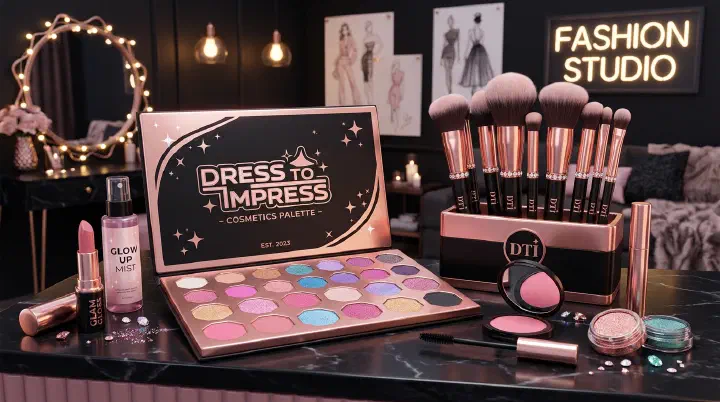
Custom Makeup System
Custom Makeup is one of the most impactful features in Dress To Impress. Unlike pre-made faces, custom makeup lets you design every facial feature from scratch using hex color codes, giving you precise control over your look.
For the complete look, pair your makeup with the right hair — our DTI hair combos guide covers 25 theme-specific hair + makeup pairings from Gothic to Kawaii. Ready to go deeper? Our DTI Custom Makeup Master Guide covers color theory per theme, 15 ready-to-use face recipes, and the slot-by-slot breakdown that top-3 players use.
How to Access
- Purchase the Custom Makeup Pass (349 Robux, permanent)
- Find a Salon chair in the dressing area
- Sit down and press E to open the makeup editor
- Customize individual facial features
Makeup Categories
| Category | What You Can Edit |
|---|---|
| Eyes | Shape, size, eyeliner style, eye color (hex codes) |
| Eyebrows | Thickness, arch, color |
| Eyelashes | Length, style, volume |
| Lips | Shape, fullness, lipstick color (hex codes) |
| Contour | Face shape definition, highlight placement |
| Blush | Placement, intensity, color |
| Eyeshadow | Style, coverage, color |
| Nose | Contour shape, highlight |
| Freckles / Beauty Marks | Placement and intensity |
| Face Paint | Decorative elements and patterns |
Hex Code Tips
Using hex codes is what separates custom makeup from default faces. Match your lipstick to your dress, your eyeshadow to your accessories, or create a cohesive color palette across all features.
Common hex reference:
- Classic red lip:
#CC0000 - Nude lip:
#D4A574 - Berry lip:
#6B0F3B - Natural blush:
#FFB6C1 - Smoky eye:
#3D3D3D
The Trip To Tokyo update expanded the system with 70 new custom makeup items, plus 9 new feminine and 2 new masculine preset options.
All Pose Packs
Currently Available (2025-2026)
| Pose Pack | How to Get | Best For |
|---|---|---|
| Superstar Walk Pack | Trip To Tokyo Update | Runway walk animation |
| Idol Pose Pack | Trip To Tokyo Update | Elegant, polished themes |
| Sun-Kissed Pose Pack | Summer 2025 Baddie Pass (Tier 21) | Beach, summer themes |
| Cosplay Pose Pack | Halloween 2025 Baddie Pass (Tier 16) | Character, fantasy themes |
| VFX Pose Pack | Halloween 2025 Baddie Pass (Tier 16) | Visual effects on runway |
| One Billion Pose Pack | 1B balloon event (Summer 2025) | Celebration, party themes |
| Petal Pose Pack | Petal updates (6,000 cash) | Soft, romantic themes |
| Valentine’s Pose Pack | Valentine’s event (6,000 cash) | Love, romance themes |
Collaboration Packs (Limited)
| Pack | Collaboration |
|---|---|
| Wicked Pose Pack | Wicked (movie) x DTI |
| Lady Gaga Pose Pack | Lady Gaga x DTI |
| Brat Pose Pack | Brat Collaboration |
Legacy/Off-Sale Packs
These were available during past events and may return:
- Sci-Fi Pose Pack, Fantasy Pose Pack, Halloween Pose Pack, Winter Pose Pack, Ice Skating Pose Pack, Summer Pose Pack
How to Use Poses on the Runway
Accessing the Pose Menu
Click the gray avatar icon on the right side of the screen during gameplay. This opens the full pose menu with all your owned pose packs.
Favoriting System
Click the star icon next to any pose to add it to your favorites. During the runway segment when you have limited time, the favorites tab shows only your selected poses for quick access. Favorite 5-8 poses that work across multiple themes.
Walk Animations
Walk animations (like Superstar Walk Pack) replace your default runway walk and play automatically as you move down the runway. Unlike static poses, walk animations are continuous. Choose one that matches your typical styling approach.
Duo Poses
Some poses support Duo mode for paired runway segments. These poses interact with your partner’s avatar and create coordinated looks. Check the pose description for “Duo” compatibility.
Pose Strategy by Theme
| Theme Category | Recommended Pose Pack | Why |
|---|---|---|
| Gala / Formal | Idol, Petal, Valentine’s | Elegant, graceful movements |
| Fantasy / Mythical | Cosplay, Fantasy | Dramatic, otherworldly poses |
| Beach / Summer | Sun-Kissed, Summer | Relaxed, playful energy |
| Edgy / Grunge | Brat, Cosplay | Bold, rebellious stance |
| Character / Cosplay | Cosplay, Wicked | Character-specific animations |
| Celebration / Party | One Billion, VFX | High-energy, eye-catching |
Makeup Strategy by Theme
| Theme | Makeup Approach |
|---|---|
| Gala / Formal | Polished — defined contour, classic red or nude lip, subtle shimmer eyeshadow |
| Fantasy / Mythical | Bold — colored eyeshadow matching the fantasy element, metallic lips, dramatic lashes |
| Gothic / Dark | Deep berry or black lip, smoky eye, pale base, sharp contour |
| Pastel / Cute | Light pink blush, glossy pink lip, soft brown eyebrows, minimal contour |
| Futuristic / Sci-Fi | Metallic silver or chrome eyeshadow, bold graphic liner, cool-toned lips |
| Natural / Everyday | Minimal makeup — light blush, nude lip, natural brows, no heavy contour |
Pro Tips for Winning Runway
Hex-match your makeup to your outfit — If your dress has a specific shade, use the hex code directly in your lipstick or eyeshadow. This creates visual cohesion that voters notice.
Favorite poses before the timer starts — While others are still dressing, pre-select your favorites so you’re ready during the 30-second runway window.
Open with a strong pose — Your first pose sets the impression. Use your most visually striking pose first, then cycle through complementary ones.
Study high-rank players — Watch what 5-star Trendsetters use for makeup and poses. The meta evolves with each update.
Walk animation matters — A good walk animation buys you extra seconds of visual impact before you even strike a pose. The Superstar Walk Pack is currently the most polished option.
Adjust per server — Some servers favor creative/extreme looks, others prefer polished/realistic. Read the room.
Related Guides
- Dress To Impress Beginner Guide — Starting out in DTI
- Dress To Impress All Themes List — Complete theme reference
- Dress To Impress VIP Guide — VIP room items
- Dress To Impress Advanced Tips — Pro-level strategies