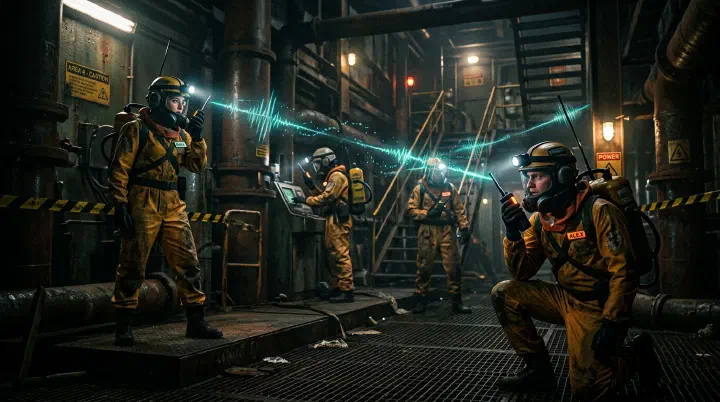
You’re three rooms deep into the facility, flashlight flickering against rusted metal walls, hauling a heavy metal sheet that is slowing your sprint to a crawl. Your walkie-talkie crackles—your teammate on the ship finally speaks: “Hey, guys, I think I maybe saw something on the monitor near you?” You stop to listen and respond. Behind you, the Bracken that has been silently stalking you for thirty seconds hears your radio click open. It snaps your neck before you can even turn around. The metal sheet clatters to the floor, alerting every monster in the wing.
Meanwhile, on the ship, your operator stares at the radar screen showing a red dot drifting toward the main entrance. They saw it ten seconds ago. They didn’t say anything because they “didn’t want to clutter comms” and assumed you were already looking. Two communication failures. Two deaths. Zero scrap hauled back to the ship.
This is not a rare tragedy in Lethal Company—it is the default outcome for teams that treat communication as an afterthought instead of a survival system.
Last updated: July 11, 2026. All monster behaviors, terminal commands, and equipment mechanics verified against Lethal Company v69 (current stable build as of May 2026).
Quick Summary: Communication Essentials
| Element | Details |
|---|---|
| Walkie-Talkie Range | ~30 meters indoors, ~80 meters outdoors |
| Channels | 1–8 shared by all players on the same frequency |
| Battery Life | Walkie-Talkie: 2 min continuous, Ship Radio: unlimited |
| Ship Monitor | Tracks player life signs, teleporter, ship storage |
| Key Callouts | Monster location, scrap count, danger warnings, extraction needed |
| Best Practice | Pre-assign roles and radio protocol before entering any facility |
Why Communication Determines Survival
In Lethal Company, poor communication is the number one cause of team wipes. A team with average mechanical skill but excellent communication will consistently outperform a team of skilled players who do not talk. The game deliberately creates information asymmetry — only the player who sees a monster knows it is there — making communication the critical link between individual awareness and team survival.
The Cost of Silence
| Scenario | With Communication | Without Communication |
|---|---|---|
| Bracken (Flowerman) encounter | Team warned, 1 death max | Entire squad stunned and killed |
| Thumper trap | Player announces, team routes around | 2–3 players walk into same trap |
| Company Cruiser chase | Team sets up ambush at choke point | Players scatter, individually hunted |
| Jester winding up | Observer warns others, no one enters room | 3–4 players killed by pop-out |
| Maneater (old bird) in fog | Player with radar warns of approach | Players caught in open, no time to react |
Why Bad Communication Wipes Teams
The Cost of Silence table shows the symptoms. Here are the root causes that kill teams before they even realize they are in danger.
Talking when you should be silent. The Bracken does not hunt by sight—it hunts by sound. Players who narrate their every move, debate scrap value, or respond to non-urgent chatter while inside the facility are broadcasting their location. Every walkie-talkie click, every shouted proximity call, and every unnecessary transmission is a beacon. When a sound-sensitive monster is near, silence is your armor.
Staying silent when you should talk. The ship operator has the only panoramic view of the facility. If they spot a red dot on the radar, see a life sign drop on the monitor, or notice the inverse teleporter is ready, that information expires in seconds. Hesitating to speak because you “do not want to clutter comms” is the same as letting your teammate walk into a trap. Information has a half-life, and facility time is measured in seconds.
Not using the ship-to-facility communication system. The terminal monitors command is not a passive dashboard—it is a live early warning system. Teams that check the monitor only when someone is already dead are reacting to corpses instead of preventing them. The ship operator should be checking monitors every two minutes during active runs and calling out status changes the moment they appear.
Vague callouts that waste critical seconds. “Something’s here!” is not a callout. It is noise. A proper callout names the threat, the location, and the action required. When a player hears vague panic, they must ask for clarification, which burns time and attention. In a game where a Bracken kill takes 0.5 seconds, wasted time is death.
No confirmation protocol. An unacknowledged warning is a worthless warning. If the ship operator calls “Coiler in B2” and the facility team does not respond, the operator has no idea if the message was received, if the team is already dead, or if the walkie-talkie failed. Every critical callout must end with a “Copy” or “Heard” from the receiver. Without confirmation, the sender is shouting into the void.
Walkie-Talkie Mechanics
How Walkie-Talkies Work
Walkie-Talkies are purchasable from the Terminal for 100 credits each. They enable voice communication between players who are carrying them, regardless of distance, as long as both players are alive.
| Property | Value |
|---|---|
| Cost | 100 credits |
| Quantity Sold | 2 per Terminal purchase |
| Effective Range | Unlimited (as long as both carry one) |
| Activation | Hold the walkie-talkie and press the use key |
| Interference | Signal degrades in certain facility areas (notably deeper levels) |
| Durability | Cannot be destroyed, but can be dropped |
Walkie-Talkie Best Practices
- Every player carries one — This is non-negotiable. Buy walkie-talkies before every expedition. If budget is tight, prioritize the Scout and the person staying at the ship.
- Keep it in your hotbar — You need to switch to it instantly when danger appears. Do not bury it in your inventory.
- Speak in short, clear callouts — Long monologues block critical warnings. Use the format: “What + Where + How many.”
- Announce before entering rooms — “Entering room B2, left hallway” gives the team awareness of your location if your signal cuts out.
Walkie-Talkie Protocol
| Situation | Callout Format | Example |
|---|---|---|
| Monster spotted | [Monster name] at [landmark], [direction] | “Bracken at the fork, heading north corridor” |
| Scrap found | [Item type], [weight class], [location] | “Large axe, heavy, second floor room” |
| Danger warning | DANGER at [location], [what to do] | “DANGER at entrance, landmine on the right” |
| Retreat request | Need backup at [location] | “Need backup at main hallway, being chased” |
| Status update | [Items carried] / [Health status] | “2 items, both light, health fine” |
For team role assignments that complement this communication system, see our Co-op Team Roles Guide.
The Communication Protocol
Communication in Lethal Company is not a free-for-all conversation. It is a tactical system with distinct rules for each location. Follow this protocol to turn your team from a group of individuals into a single survival organism.
If you are inside the facility:
- Default state: silent. Only break silence to report monsters, scrap, or danger. The facility is a hostile environment—every transmission is a risk.
- Callout format: Monster, Location, Action. Never deviate. “Thumper, main hall, freeze.” “Bracken, stairwell, run.” If you do not know the action, say “unknown.”
- Announce movement before you move. “Entering B2 west” or “Pulling to entrance” gives the ship operator a reference point if your signal dies.
- Acknowledge every directive from the ship. If the operator says “Bail,” you say “Copy, bailing.” No exceptions. The operator has the big picture; you only have your flashlight beam.
- If you are being chased, prioritize the callout over the sprint. A single “Bracken on me, heading east” tells the team more than thirty seconds of panicked breathing.
If you are on the ship:
- You are the team’s early warning radar. Check
monitorsevery two minutes. Call out every status change immediately. Do not wait for a lull in conversation—there are no lulls in a facility. - You speak more than the facility crew. This is counter-intuitive but critical. The facility team is busy navigating, looting, and surviving. They have tunnel vision. You have the panoramic view. Use it.
- Never assume they see what you see. If a monster appears on radar, announce it as if they are blind. Because from your perspective, they might as well be.
- Manage the teleporter proactively. If a player drops to critical health or goes silent, prep the teleporter and announce it. “Teleporter ready for Player3” is a lifeline.
- When the facility team calls “Bail,” you confirm and execute. Do not ask why. Do not debate scrap value. Acknowledge immediately and start the extraction sequence.
When to talk versus when to stay silent:
- Talk: Monster sighting, status change, movement announcement, danger warning, extraction request, or any directive from the ship.
- Stay silent: Looting, backtracking through cleared rooms, debating strategy, telling stories, or responding to non-urgent chatter. If it does not change someone’s immediate behavior, it does not belong on the radio.
Monster Signal Recognition
Learning to identify monsters by their audio and visual signals is just as important as walkie-talkie communication. Many encounters give you a 2–5 second warning before the monster becomes lethal.
Audio Signals by Monster
- Bracken (Flowerman): No sound until behind you, then rustling. 0-1 sec warning. Sprint away immediately; do not look back.
- Thumper: Loud mechanical thumping, increasing frequency. 2-3 sec warning. Stand still; do not move until thumping stops.
- Jester: Musical winding sound, increasing pitch. 5-10 sec warning. Leave the room before the box opens.
- Hoarding Bug: Skittering sounds, occasional item-drop clink. 3-5 sec warning. Kill it quickly or let it flee; not worth chasing.
- Coiler: Hissing + electrical crackling. 1-2 sec warning. Do not approach; use Stun Grenade if confrontation is necessary.
- Mouth Dog (Maneater): Barking that gets louder as it approaches. 5-8 sec warning. Enter a building immediately; it cannot follow indoors.
- Earth Leviathan: Low rumbling, ground shake. 3-5 sec warning. Stay on the ship; do not be on the moon surface.
- Girl (Ghost Girl): Crying/laughing, lights flicker. 3-5 sec warning. Run to a different room; she follows the last player who saw her.
- Masked: Human-like voice calling your name. 2-4 sec warning. Do not approach; it is not your teammate.
Visual Signals
- Bracken: Tall, thin flower-like figure in peripheral vision — you are being stalked; keep moving.
- Thumper: Red laser scanning the floor — movement detection active; freeze.
- Jester: Jack-in-the-box with visible winding key — music playing = counting down to attack.
- Nutcracker: Glowing eyes in dark hallways, visible flashlight reflection — line-of-sight based; break line of sight.
- Centipede: Small dark shape moving along walls/ceilings — dropping from above; watch overhead.
- Blob: Puddle-like substance on the floor, dark and glossy — do not step in it; causes blind effect.
- Forest Giant: Massive silhouette between trees, glowing eyes — stay on cleared paths; do not wander into deep forest.
The Ship as Communication Hub
The ship is your team’s base of operations and the center of your communication network.
Ship Terminal Functions
The ship terminal is accessible via typing commands. It serves as both a management tool and a communication relay.
| Command | Function | Communication Value |
|---|---|---|
monitors | Shows player health and location status | Tracks who is alive and who is outside |
scan | Reveals facility layout and scrap locations | Shares map intel with the team |
teleporter | Activates inverse teleporter to bring players back | Emergency extraction callout system |
signal | Plays a signal that all players can hear | Audio beacon for lost teammates |
store | Shows items currently loaded on the ship | Inventory management across the team |
For a complete list of terminal commands, see our Terminal Commands Guide.
Using the Ship Monitor Effectively
The monitors command is your most important real-time communication tool. It shows:
| |
Best practices:
- Check
monitorsevery 5 minutes during a facility run - If a player shows as DEAD, immediately inform the team and adjust your strategy
- If a player is ALIVE but not responding on walkie-talkie, they may be in a signal-dead zone or stunned
Team Coordination Tactics
The Buddy System
Never enter a facility alone. The buddy system pairs players so that every person has at least one teammate within walkie-talkie range and visual range.
| Pair | Roles | Strategy |
|---|---|---|
| Scout + Carrier | Scout identifies threats; Carrier collects scrap | Scout goes first, Carrier follows 5 meters behind |
| Ship Guard + Interior Team | Ship Guard monitors terminal; Interior Team clears facility | Ship Guard calls out threats and manages teleporter |
| Rear Guard + Front Team | Rear Guard watches the exit route; Front Team pushes forward | Prevents ambush from behind |
Standard Callout System
Establish a consistent callout system before each run. The following conventions work well:
| Callout | Meaning |
|---|---|
| “Contact” | Monster in sight |
| “Clear” | Area checked, safe to proceed |
| “Hot” | Active threat, do not approach |
| “Cold” | No immediate threats |
| “Grab” | Valuable scrap, need help carrying |
| “Push” | Advancing to next area |
| “Pull” | Retreating to previous area |
| “Ship” | Returning to ship / extraction needed |
| “All in” | Committing to high-risk, high-reward play |
| “Bail” | Abandon mission, everyone retreat now |
Pre-Run Communication Checklist
Before entering any facility, the team should confirm:
- All players have walkie-talkies equipped
- Roles are assigned (Scout, Carrier, Ship Guard)
- Meeting point established (usually the facility entrance)
- Emergency extraction plan confirmed (who activates teleporter)
- Scrap quota discussed (minimum target for the day)
- Time limit acknowledged (facility closes at a certain hour)
Equipment for Communication
Essential Communication Equipment
| Item | Cost | Purpose | Priority |
|---|---|---|---|
| Walkie-Talkie | 100 credits (2-pack) | Voice communication | Mandatory |
| Flashlight | Free (spawn) | Visual signals in dark areas | Mandatory |
| Stun Grenade | 60 credits | Emergency monster neutralization + team signal | High |
| Boombox | 50 credits | Distraction + audio beacon for lost players | Medium |
| Radar Booster | 500 credits | Extended signal range + monster detection | Medium |
| TZP-Inhalant | 35 credits | Speed boost for emergency retreats | Situational |
Using Equipment as Signals
Beyond their primary function, several items can serve as communication tools:
- Flashlight strobing: Quick on-off flashes mean “danger ahead.” Two flashes mean “all clear.”
- Boombox placement: Leave a playing boombox at a junction to mark it as safe or as a rally point.
- Stun Grenade: If you hear a stun grenade, it means a teammate is in combat — move to their position.
- Zap Gun: The electrical sound carries far and can signal that a Coiler or similar electrical threat is active.
For a complete equipment breakdown, check our Equipment Guide.
Handling Communication Breakdowns
When Walkie-Talkies Fail
Walkie-talkies can fail in several scenarios:
| Failure Mode | Cause | Solution |
|---|---|---|
| Signal dead zone | Deep facility areas with thick walls | Move to a stairwell or open area; signal may return |
| Player dropped walkie-talkie | Accidentally swapped or dropped | Shout (proximity chat) until you can regroup |
| Player is stunned | Bracken attack, Coil-Head stare | Team must locate and revive; walkie-talkie still works |
| Player is masked | Replaced by Masked entity | Walkie-talkie calls may be deceptive; verify identity visually |
| All walkie-talkies broken | Not possible in current version — they are indestructible | N/A |
Proximity Chat as Backup
When walkie-talkies are unavailable, Lethal Company’s proximity chat becomes your primary communication method. Proximity chat has a range of approximately 15 meters.
- Shouting increases range by about 50% but also attracts nearby monsters
- Use proximity chat strategically — only shout when the threat level justifies the noise risk
- Combine with flashlight signals for silent communication when monsters are nearby
Weather Effects on Communication
Weather conditions on different moons can significantly impact your communication strategy.
- Clear: Normal walkie-talkie range. Standard protocol.
- Foggy: Reduced visibility, audio carries further. Rely more on audio signals; walkie-talkie range unchanged.
- Rainy: Rain noise masks audio signals. Walkie-talkie becomes critical; do not rely on proximity audio.
- Stormy: Lightning flashes provide momentary visibility; thunder masks sounds. Use flashlight signals aggressively; walkie-talkie only reliable method.
- Eclipsed: Extreme darkness; monsters are more active. Maximum communication discipline; check monitors every 2 minutes.
For detailed moon weather patterns, see our Weather & Conditions Guide.
Advanced Communication Strategies
The Relay System
On large maps, a single walkie-talkie chain may not reach from the ship to the deepest rooms. The relay system solves this:
- Player 1 (Ship Guard) stays at the ship with a walkie-talkie
- Player 2 (Relay) positions halfway between ship and facility entrance
- Player 3 (Scout) goes deep into the facility
- Player 4 (Carrier) works with the Scout
Player 2 relays messages between the Ship Guard and the Scout team. This extends your effective communication range across the entire map.
Silent Communication During Stealth
When monsters are sensitive to sound (Bracken, Nutcracker, Mouth Dog), use these silent signals:
| Signal | Meaning |
|---|---|
| Crouch stand-up (once) | Monster nearby, stay quiet |
| Crouch stand-up (twice) | Monster left, area clear |
| Pointing direction | Move that way |
| Shaking head | Do not go that way |
| Dropping and picking up an item | “Look at this scrap” |
Dealing with Public Lobbies
When playing with random players in public lobbies, communication challenges multiply:
- Assume no one has a microphone — Use the terminal
signalcommand as a universal attention-getter - Lead by example — Start making callouts yourself; others often follow
- Use the ship monitor aggressively — Check
monitorsfrequently and announce status changes - Be patient with new players — Explain the callout system once; do not spam warnings
Counter-Intuitive Communication Advice
Most teams instinctively communicate in ways that feel natural but get them killed. The following advice contradicts common sense because the facility is not a common environment.
The best communication is sometimes no communication. In public lobbies and casual groups, players feel pressure to fill silence with chatter. Inside the facility, silence is a weapon. When a Bracken is hunting, a Nutcracker is patrolling, or a Mouth Dog is nearby, every word is a sonar ping that reveals your position. The team that communicates the least in high-stakes moments often survives the longest.
The ship operator should talk more than the facility crew. This feels backwards. The people in danger seem like they should be the ones updating everyone. But the facility team has tunnel vision—they can only see what their flashlight illuminates. The ship operator sees the entire facility layout, monster radar, player health, and teleporter status. Their information is more valuable than the facility team’s commentary. The ship should be the loudest voice on the radio.
A walkie-talkie is more valuable than a flashlight. You can navigate darkness by hugging walls and listening for audio cues. You cannot navigate ignorance. A player without a walkie-talkie is a black hole of information—they can receive no warnings, call for no help, and confirm no callouts. Buy walkie-talkies before flashlights, before stun grenades, before anything else.
Confirming receipt saves more lives than giving warnings. Teams focus on teaching players how to call out monsters, but they rarely teach players how to acknowledge. An unconfirmed warning creates a second crisis: the sender now wonders if the message was heard, if the receiver is dead, or if the radio failed. They will often repeat the warning, which clutters comms during a critical moment. A simple “Copy” costs one second and eliminates that entire failure chain.
The loudest player should not be the leader. The player who talks the most in a lobby usually becomes the de facto shot-caller. In Lethal Company, this is a disaster. Loud players attract attention, drown out critical callouts, and create a communication monoculture where quieter players stop sharing information. The best leader is the one who speaks least but speaks precisely—the ship operator who checks monitors in silence and only breaks it when lives are on the line.
Common Communication Mistakes
- Talking over each other: Critical warnings get lost. One person speaks at a time during combat.
- Vague callouts (“Something’s here!”): Team cannot respond appropriately. Always name the monster and its location.
- Ignoring the ship monitor: Missing teammate deaths. Check monitors every 5 minutes minimum.
- Running without announcing: Team loses track of your position. Announce movement before leaving the group.
- Hogging the walkie-talkie: Blocks emergency communications. Keep transmissions under 5 seconds during active runs.
- Not confirming receipt: Sender does not know if message was heard. Acknowledge with “Copy” or “Heard” after each callout.
Related Guides
- Co-op Team Roles Guide — Optimal 4-player team composition and role assignments
- Terminal Commands Guide — Complete list of ship terminal commands and their uses
- Equipment Guide — Every item in the game, costs, and optimal usage
- Weather & Conditions Guide — How weather affects gameplay and strategy on different moons
- Monster Behavior Guide — Detailed monster AI patterns, detection ranges, and evasion tactics
- Advanced Tactics Guide — High-level coordination, bait-and-switch plays, and extraction timing