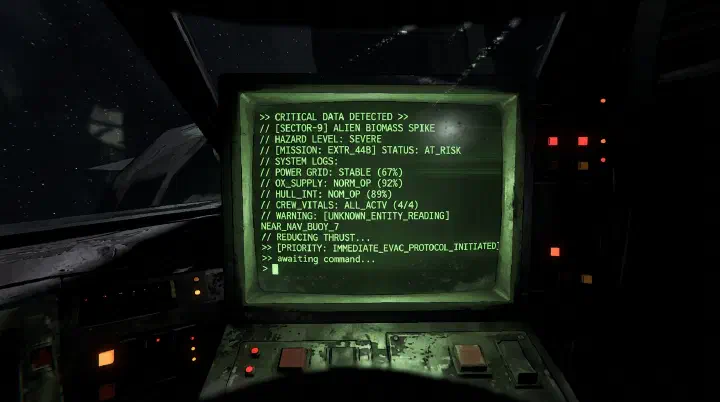
Last updated: June 25, 2026. This guide covers every terminal command in Lethal Company, from basic navigation to hidden secrets. Master the terminal to travel efficiently, buy equipment, and access crucial information.
The Door That Closes Anyway
It is 11:47 PM on Titan. Dave is sprinting across the facility courtyard with a gold bar in each hand. His stamina bar blinks red. Behind him, the thunderous footsteps of a Forest Giant shake the gravel. Three steps from the ship ramp, he yells into voice chat: “I’m here, don’t leave!”
His teammate Ash is already at the terminal. The quota timer hit zero two minutes ago. The ship’s engine is whining, prepping for launch. Ash’s fingers hover over the keyboard. Dave screams something about pinging the radar, but Ash panics and types teleport instead of transmit. Nothing happens. The terminal spits back an error. Ash backspaces frantically, tries transmit dave is here, but misspells it as transmite. Another error.
The Giant’s shadow falls across the ramp. Dave drops the gold bars. The ship door slams shut. The launch sequence overrides. Dave watches the hull lift into the dark sky while Ash stares at the blinking cursor, still trying to clear the typo.
That gold bar? 142 credits. The quota? Missed by 80. The friendship? Currently being discussed in a Discord argument that will last until 2 AM.
It wasn’t the Giant that killed the run. It was three seconds of terminal panic.
What Players Actually Get Wrong About the Terminal
Most guides treat the terminal like a cheat sheet. They list commands in neat tables and assume you’ll memorize them between rounds. That is not how panic works.
Under pressure, your brain doesn’t reach for transmit. It reaches for whatever sounds right. That’s why players type teleport when they mean transmit, sell when they mean scan, and stop when they are nowhere near ready to end the day. The terminal is case-insensitive and forgiving on spelling, but it is not forgiving on nerves.
Here is what actually goes wrong:
Players don’t pre-type. When the team is inside the facility and you are on the ship, you have minutes of downtime. Use them. Pre-type transmit with a trailing space so you only need to add the message and hit Enter. Pre-type switch so you can snap a name onto the end. The terminal keeps your cursor ready. It does not judge your procrastination.
Players ignore Tab autocomplete. You do not need to spell Experimentation perfectly. Type exp and hit Tab. The terminal fills it in. This works for moon names, item names, and even some player names. Every keystroke you save is a fraction of a second you might need later.
Players learn commands in quiet rooms, not loud ones. You probably read this guide in a browser tab with Spotify playing. That is not the learning environment that matters. The environment that matters is a Coil-Head rattling in the hallway while your teammate is hyperventilating into the mic. Muscle memory only forms under mild stress. Load into a solo lobby, turn the volume up, and practice typing moons, store, and confirm while walking around the ship. It feels silly. It works.
Players treat the terminal as a side tool. It is not. The terminal is the ship. It is travel, shopping, communication, radar, and lore. The player who knows it cold is effectively playing a different game than the player who fumbles.
Emergency Command Priority: What to Type When Everything Is Falling Apart
Not every command deserves the same brain space. When a Thumper is chasing your carrier through the main hall, you do not need the store inventory. You need a decision framework that sorts commands by urgency.
When You Have Five Seconds
These are the “oh no” moments. Someone is dying, the ship is leaving, or a monster is three rooms away.
transmit [message]— One word is enough. “Giant north” or “leave now” or “drop it.” Do not write sentences. The signal translator broadcasts to everyone instantly and cuts through voice-chat chaos. If your teammate’s mic is clipping or they’re too panicked to listen, text wins.switch [player]— The operator needs eyes on the runner immediately. If you are the operator and you do not know where the danger is, switch to the player in trouble. Do not ask. Do not discuss. Type.ping [radar booster]— If a deployed Radar Booster is near the threat, ping it. The noise pulls aggro. It buys two seconds. Two seconds is sometimes the difference between the ship door and a respawn screen.
When You Have Thirty Seconds
The team is safe-ish. You are on the ship. The quota is close. Now you can breathe and batch.
scan— Check total scrap value. Do not sell yet. Just know where you stand.sell [specific item]— If you need a precise amount to hit quota, sell individually.sell allhas no confirmation. One typo and your shotgun becomes company property.stop— Only after you have confirmed everyone is aboard. I have seen players end the day because they thought they heard four sets of footsteps. The terminal does not check footsteps. It checks presence.
When You Have Five Minutes
Pre-flight prep. Downtime. This is when efficiency matters.
moons— Check weather. Eclipsed moons look tempting for scrap density. They are also where your team forgets how to walk.storeandbuy [item]— Stock up before you launch, not after you land. Buying on-moon wastes daylight and splits focus.bestiary— Review scanned entities while you have brain space. Do not wait until you hear a Bracken to wonder what class it is.
The golden rule: Never learn a command during an emergency. Learn it during the calm, then let your fingers do the thinking.
The Counter-Intuitive Truth: Text Beats Voice in a Crisis
Here is something most crews do not figure out until quota 15: transmit is often more reliable than voice chat in a life-or-death moment.
Voice chat in Lethal Company has proximity. It drops with distance. It clips with multiple speakers. It panics. The signal translator does not care about any of that. A transmit message reaches every player simultaneously, regardless of where they are, regardless of who is talking over them, regardless of how loud the Coil-Head is.
Even better, indoor players often cannot hear the ship operator’s voice clearly. But they see transmit messages in the top-left chat. In a facility with three floors and a Bunker Spider in the stairwell, a two-word text ping is sometimes the only communication that actually lands.
The terminal is not slower than voice. It is just slower to start. Pre-type. Hit Enter. Done.
Terminal Basics
The terminal is located at the front of the ship, directly opposite the main door. Press E to interact with it. The terminal is your hub for travel, shopping, information, and communication.
Keyboard Controls
| Key | Function |
|---|---|
| Type | Enter commands |
| Enter | Submit command |
| Backspace | Delete character |
| Up/Down Arrows | Scroll through command history |
| Tab | Auto-complete (partial) |
| Ctrl+C | Clear current line |
Command Syntax
All commands are case-insensitive. Type the command and press Enter. Some commands accept additional parameters separated by spaces.
| |
Complete Command Reference
Navigation Commands
moons
Lists all available moons with their travel costs and current weather conditions.
| Syntax | moons |
|---|---|
| Output | List of all 8 moons with cost and weather |
| Requirements | None |
| Use Case | Planning which moon to visit |
Example Output:
| |
Pro Tip: Always check weather before traveling. Eclipsed and stormy weather on hard moons should be avoided.
[moon name]
Travel to a specific moon. Must be followed by confirm.
| Syntax | [moon name] then confirm |
|---|---|
| Full Moon Names | Experimentation, Assurance, Vow, Offense, March, Rend, Dine, Titan |
| Requirements | Sufficient credits in the ship’s account |
| Use Case | Initiating travel |
Travel Sequence:
| |
Note: You can also enter the numerical designation: 41-Experimentation, 21-Assurance, 56-Vow, 5-Offense, 20-March, 85-Rend, 7-Dine, 8-Titan.
stop
Ends the current day. All players must be on the ship.
| Syntax | stop |
|---|---|
| Requirements | All alive players on ship |
| Use Case | Ending the day after selling scrap |
| |
Critical: Ensure ALL players are on the ship before using stop. Anyone outside dies.
Store Commands
store
Opens the Company Store interface, showing available items for purchase.
| Syntax | store or store [page#] |
|---|---|
| Requirements | None |
| Use Case | Browsing and buying equipment |
| |
buy [item]
Purchase an item from the store.
| Syntax | buy [item name] |
|---|---|
| Requirements | Item must be in stock, sufficient credits |
| Use Case | Buying equipment |
| |
Multi-Buy: You can buy multiple items at once:
| |
info [item]
Shows detailed information about a store item.
| Syntax | info [item name] |
|---|---|
| Requirements | None |
| Use Case | Learning about an item before purchase |
| |
Selling Commands
sell [item]
Sell a specific scrap item that is on the ship.
| Syntax | sell [item name] or sell [item1] [item2] |
|---|---|
| Requirements | The scrap item must be physically on the ship |
| Use Case | Converting scrap to credits for quota |
| |
sell all
Sells ALL scrap items currently on the ship.
| Syntax | sell all |
|---|---|
| Requirements | Scrap items on the ship |
| Use Case | Quick selling at end of day |
| |
Warning: There is no confirmation for sell all. Make sure you do not want to keep any items (like a shotgun for defense) before using this.
Information Commands
bestiary
Opens the bestiary, which shows information about monsters that players have scanned.
| Syntax | bestiary |
|---|---|
| Requirements | At least one monster must have been scanned with Q |
| Use Case | Reviewing monster behavior and lore |
| |
bestiary [#]
View detailed information about a specific scanned entity.
| |
scan
Displays a summary of all scanned scrap items currently on the ship.
| Syntax | scan |
|---|---|
| Requirements | Items on ship must have been scanned |
| Use Case | Checking total scrap value before selling |
| |
Communication Commands
switch [player]
Switches the ship monitor camera to follow a specific player.
| Syntax | switch [player name] |
|---|---|
| Requirements | Player must exist on the current moon |
| Use Case | Operator tracking a specific teammate |
| |
Player Names: Use the player’s in-game name as it appears in the top-left corner.
view monitor
Displays the ship monitor feed as text.
| Syntax | view monitor |
|---|---|
| Requirements | None |
| Use Case | Quick radar check from terminal |
| |
ping [radar booster]
Pings a specific Radar Booster, creating a sound that attracts monsters.
| Syntax | ping [radar booster name] |
|---|---|
| Requirements | A deployed Radar Booster |
| Use Case | Luring monsters away from teammates |
| |
Radar Booster Naming: When you deploy a Radar Booster, it is automatically named. You can ping it by its name or just “radar booster” if only one is deployed.
transmit [message]
Sends a text message through the signal translator. The message appears in the chat for all players.
| Syntax | transmit [your message] |
|---|---|
| Requirements | None |
| Use Case | Text communication with team (useful if mic is broken) |
| |
Gameplay Commands
ping
Pings the current player’s location on the ship radar.
| Syntax | ping |
|---|---|
| Requirements | None |
| Use Case | Marking your position for the operator |
Hidden and Secret Commands
These commands are not documented in the game but have been discovered by the community.
sigurd
Displays Sigurd’s lore logs — hidden story entries that reveal the game’s backstory.
| Syntax | sigurd |
|---|---|
| Requirements | Must be entered on the ship terminal |
| Use Case | Lore exploration |
| |
Note: Sigurd logs are numbered and some may require finding specific items or achieving certain milestones to unlock. There are 15 total lore logs in the game.
sigurd [#]
Read a specific Sigurd log entry.
| |
history
Shows your recent terminal command history.
| Syntax | history |
|---|---|
| Use Case | Reviewing recent commands |
help
Displays the help screen with available commands.
| Syntax | help |
|---|---|
| Use Case | Quick command reference |
| |
Terminal Efficiency Guide
Typing Speed Tips
| Technique | Benefit |
|---|---|
| Use Tab for auto-complete | Saves keystrokes |
| Arrow Up for command history | Reuse previous commands |
| Short names work | “exp” may work for “experimentation” |
| Batch commands | Buy all items before leaving |
Common Workflows
Starting a Day:
| |
Ending a Day:
| |
Quick Save (during day):
| |
Operator Workflow
| Priority | Command | When |
|---|---|---|
| 1 | switch [player] | Player enters facility |
| 2 | view monitor | Quick radar check |
| 3 | ping [booster] | Monster near teammate |
| 4 | transmit [msg] | No voice chat available |
Complete Quick Reference Table
| Command | Syntax | Purpose |
|---|---|---|
| Help | help | Show available commands |
| List Moons | moons | Show all moons with cost and weather |
| Travel | [moon] + confirm | Travel to a moon |
| Store | store | Browse shop items |
| Buy | buy [item] | Purchase equipment |
| Item Info | info [item] | View item details |
| Sell | sell [item] | Sell specific scrap |
| Sell All | sell all | Sell all scrap on ship |
| Scan | scan | Show scrap on ship |
| Bestiary | bestiary | View monster info |
| Switch Camera | switch [player] | Track a player |
| View Monitor | view monitor | Radar text output |
| Ping | ping [booster] | Ping radar booster |
| Transmit | transmit [msg] | Send text message |
| End Day | stop | End the current day |
| Lore | sigurd | View lore logs |
| History | history | Command history |
Common Mistakes
| Mistake | Why It Happens | Fix |
|---|---|---|
Typing sell all accidentally | No confirmation prompt | Only use it when ready |
Forgetting confirm | Travel not initiated | Always type confirm after moon name |
| Misspelling moon names | Case-insensitive but spelling matters | Use Tab autocomplete |
| Buying without checking stock | Some items not available daily | Browse shop first |
| Selling items wanted for defense | Shotgun sold accidentally | Manually sell specific items |
Conclusion
The terminal is the most important tool in Lethal Company. It controls where you go, what you buy, and how you communicate. Mastering terminal commands reduces the time spent on administrative tasks and lets you focus on survival and scrap collection.
But mastery here is not about memorizing every syntax. It is about knowing which command to reach for when your hands are shaking. It is about pre-typing transmit before the Giant rounds the corner. It is about trusting text over voice when the lobby is chaos. It is about treating the terminal as a weapon, not a spreadsheet.
The hidden sigurd command adds a layer of lore for players interested in the game’s story — be sure to read all 15 logs for the full narrative. For competitive players, terminal efficiency (knowing commands by heart, using autocomplete, and batching operations) shaves valuable seconds off each day.
Next time you are on the ship and the engine starts whining, do not panic-type. Breathe. Pre-type. Let your fingers do what you trained them to do. The door will stay open a little longer for the player who does not need to think.
FAQ
Q: Can I use the terminal while moving? A: No. The terminal locks you in place while you are typing. You cannot walk away from it mid-command. If a monster enters the ship, you have to close the terminal first. That is why pre-typing matters — the less time you spend at the keyboard, the less time you are a sitting target.
Q: Do I need to capitalize moon names or item names?
A: Nope. The terminal is completely case-insensitive. experimentation, Experimentation, and EXPERIMENTATION all work. So does buy SHOVEL or buy shovel. The only thing that matters is spelling, and even then, Tab autocomplete covers most of it.
Q: What happens if I type sell all by accident?
A: Everything on the ship gets sold instantly. No confirmation. No undo. If you had a shotgun, a jetpack, or a pro-flashlight sitting on the floor, it is gone. That is why experienced operators sell items individually or at least do a scan first to know exactly what is about to vanish.
Q: Is there a way to cancel travel after I type confirm?
A: No. Once you hit confirm, the ship launches. There is no abort sequence. If a teammate is still outside, they are staying on that moon. Double-check your headcount before you confirm. It takes two seconds and saves twenty minutes of restarting.
Q: Does the history command show what other players typed?
A: No. history only shows your own command history on that terminal session. It is useful if you forgot the exact name of an item you bought earlier, but it will not reveal your teammate’s shopping list.
Related Guides
- Lethal Company Ship Operator Guide
- Lethal Company Equipment Economy Guide
- Lethal Company Scrap Route Optimization
- Lethal Company Advanced Strategies Guide
- Lethal Company Beginner Guide: Survive Your First Quota
- Lethal Company Co-op Team Roles Guide
- Lethal Company Equipment Guide: Best Items and Loadouts
- Lethal Company Monster Bestiary: Every Entity Explained
- Lethal Company Moons Guide: Complete Moon Rankings
- Lethal Company Scrap and Loot Guide: Complete Item Database