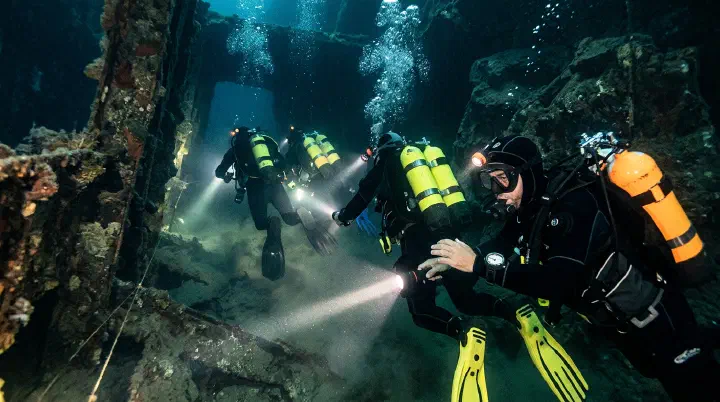
Last updated: July 5, 2026. This guide covers Pressure multiplayer strategies as of the latest update. The March 2026 “Half A Slice Of Cake” update added new modifiers that affect multiplayer gameplay, including team-wide buffs and shared resource mechanics.
The Door 78 Wipe That Should Have Been a Win
It was a clean run. Four players, voice comms stable, everyone had a flashlight and at least one bandage. Door 78 opened into a wide storage room with metal crates stacked along the walls. The Scout called it clear. The Navigator was tracking keycards. Then the lights flickered.
“Angler,” someone said. But two people said it at once, and a third voice panicked over both of them: “Where, where, where?”
The callout leader never got a clean word in. Two players sprinted for the same locker on the left. One got inside; the other got trapped in the interaction animation as the Angler swept through. The fourth player — playing Support — abandoned their post to attempt a rescue without confirming the entity had passed. The Angler looped back. In thirty seconds, the entire squad was dead.
This is what multiplayer Pressure actually looks like. Not a lack of skill. Not bad RNG. A coordination breakdown at the worst possible moment. This guide will fix that.
Why Multiplayer Changes Everything
Pressure is dramatically different when played with a team versus solo. Entities still hit just as hard, rooms are still dangerous, and the Hadal Blacksite is still a death trap. But with a coordinated team, your chances of reaching Room 100 increase exponentially. Multiple eyes mean more entity warnings spotted. Shared inventory means better resource distribution. And the ability to rescue trapped teammates means one mistake does not have to end the entire run.
However, a disorganized team can be worse than playing solo. Miscommunication, duplicated effort, and panic spreading through the group are real threats. This guide covers everything you need to know about playing Pressure effectively with others, from two-player duos to full four-player squads.
Failure Analysis: What Teams Actually Get Wrong
Most squads do not wipe because they lack game knowledge. They wipe because they repeat the same coordination failures. Here are the failure patterns that kill teams before Door 50:
- Talk-over during entity encounters. When two or three people panic-speak at once, the actual callout — “locker on your left” — gets buried. The player who needed that information never hears it.
- No designated callout leader. Democracy sounds nice, but split-second decisions need a single voice. Teams without a leader default to loudest-player-wins, which is rarely the smartest player.
- Role confusion under pressure. Everyone knows who the Scout is in the lobby. But when the Scout is trapped in a locker, who takes point? Teams that have not discussed role fallback chains freeze.
- Rescue attempts without safety checks. The urge to save a teammate is strong. The urge to check if the entity is actually gone is weak. Guessed wrong? Now two players are down.
- Inventory hoarding. One player carries four bandages and dies in a locker. Another player has none and bleeds out after a close call. Sharing is not generosity in Pressure; it is survival math.
- Splitting without a regroup plan. “I’ll check the other side” sounds fine until an entity spawns and the split player has no one to call out locker locations.
If your team fixes even half of these, you will outlast most random squads.
Team Size: What Works Best
Two-Player Team
Advantages:
- Easier to coordinate and communicate
- Less competition for items
- Faster movement through rooms
- Less chaos during entity encounters
Disadvantages:
- Fewer eyes watching for entity warnings
- One death leaves the remaining player solo
- Limited role specialization
- Harder to cover all angles simultaneously
Best For: Players who want a balance between coordination simplicity and team benefits. Two-player teams excel at the Watcher-Searcher dynamic.
Three-Player Team
Advantages:
- Good role diversity
- One player can scout ahead while others follow
- Better item distribution across the team
- Can cover more room area during searches
Disadvantages:
- Slightly harder to coordinate than two players
- Voice communication can get crowded
- Still vulnerable to two-player wipe scenarios
- Requires at least one player to take a support role
Best For: Casual groups of friends. Three players provide enough redundancy to survive most entity encounters while remaining manageable to coordinate.
Four-Player Team
Advantages:
- Maximum role specialization
- Multiple players can search different areas simultaneously
- Best item distribution potential
- Most resilient to individual deaths
Disadvantages:
- Communication complexity is highest
- Higher chance of someone making a mistake
- Can feel chaotic during intense entity encounters
- Requires strong leadership to keep organized
Best For: Experienced teams with established communication and leadership. Four-player teams have the highest potential but also the highest coordination requirements.
Recommended Team Size by Experience Level
- All beginners: 3 to 4 players — More players means more chances someone knows what to do.
- Mixed experience: 3 players — Experienced players can guide beginners without being overwhelmed.
- All experienced: 2 to 3 players — Smaller teams move faster and make fewer mistakes.
- Speed running: 2 players — Minimal coordination overhead for optimized routes.
Team Role Assignments
Core Roles for Any Team Size
Every team needs these roles covered. In smaller teams, players will take on multiple roles.
Scout
- Primary Responsibility: Enter new rooms first, identify threats, locate the next door.
- Essential Skills: Fast reactions, good spatial awareness, courage.
- Best Item Loadout: Flashlight, Lockpick, Speed Charm.
Navigator
- Primary Responsibility: Track progress, manage keycards, plan routes.
- Essential Skills: Memory, attention to detail, calm decision-making.
- Best Item Loadout: Keycard, Minimap focus, Inventory Charm.
Support
- Primary Responsibility: Carry extra items, heal teammates, manage resources.
- Essential Skills: Organization, awareness of team status, generosity.
- Best Item Loadout: Extra Bandages, Glowsticks, Flash Beacons.
Fighter
- Primary Responsibility: Handle high-risk situations, draw entity attention, sacrifice plays.
- Essential Skills: Quick reflexes, bravery under pressure, knowledge of entity patterns.
- Best Item Loadout: Health/Damage Reduction Charms, Backup Light.
Role Assignment by Team Size
Two-Player Team:
- Player 1: Scout + Fighter — Primary entity responder.
- Player 2: Navigator + Support — Resource management and team coordination.
Three-Player Team:
- Player 1: Scout — Fighter secondary (handles dangerous situations).
- Player 2: Navigator — Support secondary (manages resources).
- Player 3: Support — Navigator backup (tracks progress).
Four-Player Team:
- Player 1 (Scout): First into rooms, identifies threats, calls out next door location.
- Player 2 (Navigator): Manages keycards, tracks room progression, plans safe routes.
- Player 3 (Fighter): Handles high-risk entity encounters, performs sacrifice plays when needed.
- Player 4 (Support): Carries extra bandages and light sources, heals teammates, distributes items.
When to Switch Roles
Roles should not be static throughout an entire run. Switch based on the situation:
- Scout has low health: Temporarily swap Scout to a healthier player.
- Navigator has full keycard inventory: Navigator becomes temporary Support to distribute excess keycards.
- Team enters Heavy Containment zone: All players shift to defensive roles; survival beats exploration.
- After Door 80: Rotate who carries the keycard to prevent a single point of failure.
Communication Strategies
What to Call Out
Effective communication is the backbone of successful Pressure multiplayer. Every team member should know exactly what information to share and when.
- Entity Warning: Immediately upon noticing any entity cue. Example: “Lights flickering, Angler incoming.”
- Locker Location: When entering a new room. Example: “Two lockers on the left side, one on the right.”
- Next Door Found: As soon as the door is located. Example: “Door is behind the metal crate, left corner.”
- Item Found: When picking up important items. Example: “Found a bandage on the desk.”
- Keycard Found: Always announce keycard pickups. Example: “Got a keycard, who needs it?”
- Health Status: After taking damage or before entering danger zones. Example: “I am at 60 percent health, might need a bandage soon.”
- Safe Path Identified: In ChainSmoker or Firewall rooms. Example: “Safe path is along the right wall, follow me.”
- All Clear: After an entity encounter ends. Example: “A-60 is done, two sweeps, we are clear.”
Communication Priority Levels
Not all callouts are equally urgent. Use this priority system to avoid talk-over during critical moments.
- Priority 1 (Critical): Active entity encounter — Loud, immediate. Example: “BLITZ NOW, LOCKER ON YOUR LEFT.”
- Priority 2 (Urgent): Entity warning detected — Firm, clear. Example: “Flickering lights, get near a locker.”
- Priority 3 (Important): Key items, door locations — Normal voice, clear. Example: “Found the keycard, it is on the table.”
- Priority 4 (Routine): General items, observations — Casual voice. Example: “Got a glowstick here, anyone want it?”
Voice Chat Best Practices
- One person speaks at a time during encounters. Prevents confusion when split-second decisions matter.
- Designate a callout leader. Ensures consistent information flow and avoids conflicting instructions.
- Keep background noise minimal. Audio cues from the game are essential; team noise should not drown them out.
- Use short, specific phrases. “Angler, left locker” is better than “Oh no I think something is coming, maybe we should hide.”
- Confirm critical information. When someone calls out an entity, acknowledge it: “Heard Angler, moving to locker.”
- Stay calm. Panic spreads. A calm voice keeps the team focused and making good decisions.
Decision Framework: When to Push, Hold, or Retreat
Pressure multiplayer is a series of rapid decisions. Teams that decide fast and decide together survive. Teams that debate die.
Use this framework for common mid-run decisions:
Should we open the next door?
- Push if all players are above 50% health, everyone has a light source, and no entity warnings are active.
- Hold if anyone is below 30% health, an item search is in progress, or the room has not been fully scanned.
- Retreat only if an active entity is in the current room and lockers are unavailable. Otherwise, hide and wait.
Should we attempt a rescue?
- Yes if the entity has clearly passed, you have an escape route, and the trapped player has resources the team needs.
- No if the entity is still active, you are below 40% health, or multiple teammates are already down.
Should we split the team?
- Safe to split in early rooms (1 to 30) with stable comms and all players healthy.
- Risky but acceptable in mid-game (31 to 70) for puzzle components or keycard searches, provided everyone stays within hearing distance.
- Do not split after Door 70 unless the room is explicitly cleared and the split duration is under 15 seconds.
Who gets the last bandage?
- The player with the highest survival utility gets it. If the Scout is at 20% health and the Support is at 30%, give it to the Scout — the Scout’s spatial awareness keeps the whole team alive.
Item Sharing and Resource Management
The Item Sharing Protocol
In multiplayer, items should be shared strategically, not randomly. Use this system to maximize team efficiency.
- Keycards: Always share. Everyone who needs one should have one. Locked doors block the entire team; one keycard bottleneck stops everyone.
- Bandages: Distribute so everyone has at least one; extra goes to the lowest-health player. A dead teammate cannot help the team.
- Flashlights: Everyone must have one, no exceptions. A player without light is a liability.
- Glowsticks: Distribute evenly as backups. Provides redundancy if someone loses their primary light.
- Flash Beacons: Support player carries extras; deploy strategically. Shared utility that benefits the entire team.
- Lockpicks: Give to the Scout. The Scout opens the most lockers and encounters the most locked obstacles.
Inventory Coordination by Role
- Scout: Carries Lockpick, Flashlight, Speed Charm. Drops extra items to Support.
- Navigator: Carries Keycards (multiple), Flashlight. Shares unneeded keycards to team.
- Support: Carries Bandages (3+), Glowsticks, Flash Beacons, Lantern. Distributes all items as needed.
- Fighter: Carries Flashlight, Health Charms, Backup light. Keeps minimal items to stay mobile.
The Resource Pool System
For larger teams, consider a resource pool system where certain items are managed collectively:
- Bandage Pool: The Support player carries the majority of bandages and distributes them based on need.
- Light Pool: Flash Beacons are treated as team property and placed where most needed.
- Keycard Pool: All keycards go to the Navigator, who distributes them when locked doors appear.
- Individual Items: Each player keeps their own flashlight and personal survival items.
Reviving Teammates
How Revival Works
In Pressure, you can rescue teammates who are trapped in lockers by entities. This is one of the most powerful multiplayer mechanics, but it requires knowledge and quick action.
- Teammate trapped in locker by Angler: Approach the locker and interact to pull them out, then guide them to a different locker. Risk is medium; the Angler may still be nearby.
- Teammate trapped by Pinkie: Same as above, but be extra cautious since Pinkie gives minimal warning. Risk is high; Pinkie can return without warning.
- Teammate downed but not in locker: Reach them quickly and interact to help them up. Risk varies depending on entity proximity.
- Multiple teammates trapped: Rescue the one nearest to safety first, then loop back. Risk is high; you are exposing yourself repeatedly.
Revival Priority Order
When multiple teammates need help, use this priority system:
- Highest: Teammate about to be killed by entity in locker. Immediate rescue; this is seconds away from death.
- High: Teammate downed with low health near a safe location. Rescue and guide to a locker.
- Medium: Teammate trapped but entity has moved on. Rescue at the next safe moment.
- Low: Teammate has resources and can self-rescue. Coordinate timing; provide cover.
The Revival Safety Protocol
Before attempting a rescue:
- Confirm the entity has passed or is not currently targeting the trapped player.
- Identify an escape route for both you and the rescued player.
- Alert the team that you are attempting a rescue so others can provide cover or watch for additional entities.
- Have a backup plan if the rescue goes wrong (nearest locker, next door location).
Group Puzzle Solving
How to Tackle Puzzles as a Team
Puzzles in Pressure can slow down a run significantly if the team does not coordinate. Use these strategies to solve puzzles efficiently.
- Keycard Door: Navigator distributes keycards; no puzzle solving needed. Time estimate: 5 to 10 seconds.
- Code/Puzzle Panel: Split team — half searches for clues, half guards for entities. Time estimate: 30 to 60 seconds.
- Multi-Step Puzzle: Assign one player to track progress; others find components. Time estimate: 1 to 2 minutes.
- Hidden Path Puzzle: Scout searches ahead; Support covers the rear. Time estimate: 30 to 90 seconds.
Puzzle Communication Protocol
When a puzzle is encountered:
- Announce the puzzle type so the team knows what to expect.
- Assign roles immediately: who searches, who guards, who tracks progress.
- Share discoveries aloud: “Found a code on the wall: 4-7-2-1.”
- Confirm solutions before submitting: “The code is 4-7-2-1, everyone agree?”
- Stay alert during puzzle solving: Entities do not pause for puzzles.
Coordinated Entity Avoidance
The Formation System
How your team moves through rooms matters. Use formations to maximize entity detection and minimize risk.
- Line Formation: For narrow corridors and standard progression. Players move in single file; front player scouts, rear player watches behind.
- Diamond Formation: For wide rooms and open areas. Four players form a diamond shape; each covers a different direction.
- Pair Formation: For two-player teams. Players move side by side with 2 to 3 meters between them; covers more area.
- Staggered Formation: For unknown areas and high danger zones. Players spread out with 5-meter gaps; if an entity hits, only one player is affected.
The Entity Drill
Practice these responses with your team until they become automatic. For detailed entity survival strategies, see the Entities Guide.
- Angler: All players identify lockers. Wait for sound to approach. Enter lockers. Count checks. Exit together.
- Pinkie: Nearest players to lockers hide first. Others follow. Wait for screen distortion to clear.
- Blitz: Drop everything and get to the nearest locker. No discussion needed.
- A-60: All players hide. Count the sweeps aloud together so everyone knows when it is safe.
- A-200: Same as A-60 but with longer wait times. Use the extra time to verify all players are hidden.
- ChainSmoker: Navigator identifies safe path. Team moves through in order: Scout, Navigator, Support, Fighter.
Split Strategies: When to Separate vs Stay Together
When to Stay Together
- Entity encounter is active — team members can rescue each other and share warnings.
- Unknown room type — multiple eyes reduce the chance of walking into a trap.
- Low health on any player — the team can protect vulnerable members.
- Heavy Containment zone — dangers are too great for solo movement.
- After Door 70 — entity frequency and aggression increase significantly.
When to Split
- Large room with items scattered throughout: Split 2 left and 2 right. Stay within hearing distance; call out if splitting further.
- Puzzle with multiple components in different areas: Assign one player per component. Maintain voice contact; regroup at the puzzle site.
- Searching for a missing keycard: Scout checks ahead while Support searches the current room. Do not open the next door without the full team.
- Testing two possible paths: Send one player down each path. Both players stay near lockers; report back immediately.
The Split Decision Checklist
Before splitting the team, verify:
- All players are above 50 percent health.
- Every player has a working light source.
- Voice communication is stable and clear.
- Everyone knows how to regroup at a designated meeting point.
- No active entity warnings are present.
- The split duration will be under 30 seconds.
Team Loadout Optimization
Pre-Run Loadout Planning
Before starting a run, assign loadouts to each team member to prevent redundancy and ensure all bases are covered.
- Scout: Flashlight, Lockpick — Charm priority: Speed, Movement, Light Detection.
- Navigator: Flashlight, starting Keycard — Charm priority: Inventory, Minimap, Item Detection.
- Support: Flashlight, Lantern (if available) — Charm priority: Health, Battery Life, Resource Find.
- Fighter: Flashlight, Glowsticks (2) — Charm priority: Damage Reduction, Health, Speed.
Mid-Run Loadout Adjustments
As the run progresses, adjust loadouts based on team status.
- Door 25: Ensure every player has a flashlight and at least one bandage.
- Door 50: Support player should have 3+ bandages; Navigator should have multiple keycards.
- Door 75: All players carry a backup light source; discard non-essential items.
- Door 90: Minimal inventory: flashlight, bandage, keycard. Drop everything else.
Counter-Intuitive Advice: What Good Teams Do Differently
Some of the best multiplayer strategies feel wrong at first. Here is what experienced teams understand that beginners do not:
- The Scout should not always be first through the door. After Door 70, rotate point duty between the Scout and the Fighter. The Scout’s spatial awareness is too valuable to lose to a blindsided Blitz.
- Sometimes the correct play is to let a teammate stay trapped. If the entity is still active and a rescue attempt would expose two more players, the trapped player should wait. A team of three survives longer than a team of two.
- Do not regroup immediately after an entity passes. Wait five extra seconds. A-60 has fooled many teams with a delayed third sweep. The “all clear” call should come from the Navigator, not the first player to exit their locker.
- The Support player should not be the healer in every fight. If the Support is also the best communicator, keep them alive at all costs. A communicating team beats a fully healed but silent team.
- More bandages on one player is sometimes better than even distribution. If the Scout is consistently taking point damage, load them with two bandages. A dead Scout slows the entire run more than a dead Fighter.
- Voice discipline matters more than callout volume. A team that says less but says it clearly will outlast a team that narrates every item pickup. Save your words for Priority 1 and 2 moments.
- The leader should not carry the keycard after Door 80. Leaders make decisions; they should not also be the single point of failure. Hand the keycard to the Support or Fighter so the Navigator can focus on route planning.
Next Steps
Continue building your Pressure expertise with our other guides:
- Pressure Beginner Guide — Complete walkthrough for new players starting their first run
- Pressure Beginner Mistakes Guide — 15 common mistakes new players make and how to fix them
- Pressure Codes and Secrets Guide — Active codes, hidden secrets, and unlockables
- Pressure Entities Guide — Complete breakdown of every entity in the Hadal Blacksite
- Pressure Floors and Locations Guide — Room types, floor layouts, and zone-specific strategies
- Pressure Items and Puzzles Guide — Every item, keycard, and puzzle solution explained
- Pressure Survival Tips Guide — Advanced strategies for resource management, entity avoidance, and reaching deep floors
Disclaimer: This guide is based on Pressure multiplayer mechanics as of July 2026. Game updates may change entity behavior, rescue mechanics, item spawning, and modifier effects. The March 2026 “Half A Slice Of Cake” update introduced new modifiers that affect multiplayer gameplay. Always verify strategies against the latest game version and check the official wiki for updates.
Sources: