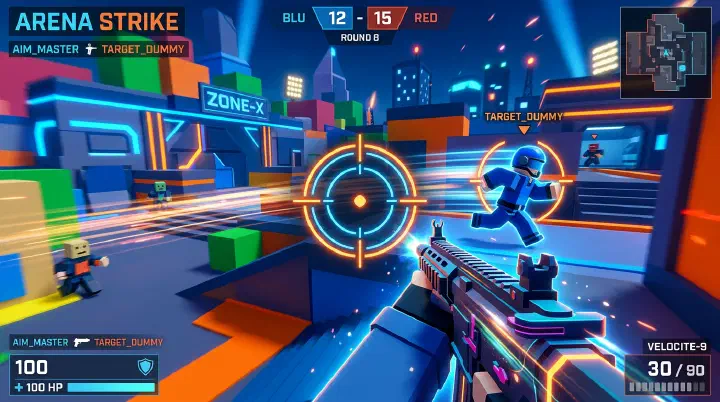
You flick. The enemy’s head is right there, center screen, not even moving fast. Your mouse goes left, then right, then left again. You overshoot. You undershoot. By the time you finally settle, you’re already dead. The killcam plays it back in slow motion. Your crosshair jittered past the target three times. It looks like you’re having a seizure. Your aim isn’t bad — it’s your sensitivity, and it’s fighting you every single fight.
Most Rivals players are walking around with settings that actively make them worse. Not a little worse. A lot worse. We’re talking missed headshots that should have been free kills. Whiffed sprays that should have been one-bursts. Flicks that look like you’re throwing your mouse instead of aiming it.
And here’s the worst part: you probably think your sensitivity is “fine.” You copied it from a YouTuber. You left it on default. You adjusted it once in 2023 and never touched it again. That’s not fine. That’s sabotage, and it’s costing you rounds.
Why Default Settings Are a Trap
Rivals’ default sensitivity is built for a player who doesn’t exist. It’s middle-of-the-road mush in a game where precision actually matters. The default crosshair is a tiny white dot that vanishes the second someone stands in front of a bright wall. Default settings are designed to get a twelve-year-old through the tutorial without filing a complaint. They are not designed to help you win gunfights.
The default sensitivity is too high for smooth tracking and too low for fast flicks. It’s the worst of both worlds. You can’t trace a strafing Phantom without stuttering, and you can’t snap to a flank without doing a full arm sweep. It feels “okay” because you’re used to it. But “okay” is the enemy of good. It’s the reason you think “my aim is just inconsistent today” when actually your settings are making you inconsistent every day.
The Pro Settings Trap
Here’s the mistake every new player makes. They open a YouTube video titled “Top 10 Rivals Pro Settings 2026” and copy every number. Sens 0.8. DPI 800. Crosshair cyan. They paste it in, queue up, and expect to become a headshot machine.
It never works. It literally never works.
Pro player settings are built for pro player hands. Their hand size. Their mousepad space. Their desk height. Their grip style — fingertip, claw, palm. Their wrist-to-arm ratio. A player who uses their entire forearm for large swipes needs a completely different sens than a wrist-aimer with a tiny pad. Copying their numbers is like wearing their shoes. You might share the same size, but your arches are different. Your walk is different.
Worse, most of those “pro settings” videos are outdated or flat-out wrong. The pro changed their sens three weeks ago. The video creator got it from a random Discord screenshot from 2024. Now you’re running obsolete settings in a 2026 meta. You’re not copying success. You’re copying a ghost.
The 10-Minute Calibration Method
You don’t need their settings. You need YOURS. Here’s a dead-simple method that takes ten minutes and will get you closer to your ideal sens than any copy-paste ever could.
Step 1: Baseline tracking. Set your sensitivity to whatever you’re using now. Stand in a private server or the lobby. Pick a point on a wall — a corner, a pixel crack, a light fixture. Strafe left and right while keeping your crosshair glued to that point.
If your crosshair falls behind your movement and you have to “catch up” with a big swipe, you’re too low. If it overshoots the target and you have to pull back, you’re too high. If you can track it with tiny, smooth micro-adjustments, you’re close. Most players are shocked at how badly they fail this test.
Step 2: The 180 test. Stand still. Place your mouse at the left edge of your pad. Swipe to the right edge in one clean, fast motion. In Rivals, this should give you exactly a 180-degree turn. Not a 360. Not a 120. A clean, reliable 180.
If you spin around like a top, your sens is way too high. If you barely turn around, it’s way too low. Adjust until your full pad sweep — a comfortable, natural arm motion — gives you a 180. This is your anchor. Everything else builds from here.
Step 3: The flick test. Pick two points on a wall about one character-width apart. Flick from point A to point B. Don’t try to be smooth. Just snap.
If you consistently overshoot, drop your sens by 0.05. If you consistently undershoot, raise it by 0.05. Do this ten times. Your perfect sens is the one where you land closest to the target without needing a second correction swipe. If you’re landing on target but it feels “sluggish,” you’re probably too low. If you’re landing near target but it feels “shaky,” you’re probably too high.
Step 4: Lock it for a week. This is the hardest part. Don’t touch it. Don’t “just try” your old sens for one match. Don’t bump it up because you had a bad game. Your brain is building muscle memory. Changing your sens every day is like changing your keyboard layout every morning. You’re not testing. You’re erasing.
The Counter-Intuitive Truth: Your Sens Is Probably Too Low
FPS players have been fed the same lie for decades. “Lower sens = more precision.” It’s in every forum. Every Discord. Every comment section. “Just drop your sens, you’ll hit more shots.”
Here’s the truth. Most Rivals players aren’t too high. They’re too low.
Low sensitivity feels safe because small movements don’t punish you as much. But Rivals isn’t Counter-Strike. The movement is faster. The hitboxes are more forgiving in some ways and more punishing in others. Players strafe, slide, dash, and double-jump in ways that static, low-sens tracking can’t keep up with.
When your sens is too low, you can’t react to flanks. You can’t track a Phantom dashing across your screen. You end up lifting and resetting your mouse mid-gunfight, which kills your consistency. A gunfight shouldn’t require two mouse lifts. That’s not precision. That’s handicap.
The sweet spot for most Rivals players is higher than they think. Not “spin in circles” high. Just “actually turn 180 without re-centering your mouse three times” high. Precision isn’t just about tiny micro-adjustments. It’s about being able to put your crosshair on a target in the first place. You can’t micro-adjust a shot you never get to take because your enemy is already behind you.
Crosshair Decision Tree
Your crosshair isn’t just decoration. It’s the single most important piece of UI feedback you have. The wrong crosshair makes targets disappear. The right one makes them impossible to miss.
Step 1: Pick your shape.
- Dot: Great for precise headshots. Terrible for spray control because you can’t see spread or recoil bloom. Use it only if you’re a confident one-tap player.
- Cross (+): The classic. Good for all-around play. The center gap lets you see the target while the lines give you spatial reference.
- Circle: Underrated for tracking. The circle acts like a container. If the enemy’s head fits inside the circle, you’re on target. It helps with visual confirmation.
- T-shape or cross with bottom gap: Popular in high-level play. The bottom gap doesn’t obscure the target’s lower body or the ground, giving you better visibility during vertical tracking.
Step 2: Pick your color.
Never use white, black, or gray. Those are the colors of the walls, the floors, and the shadows. You need a color that doesn’t exist in Rivals’ environments.
- Cyan / Bright Green: High visibility, easy on the eyes. Best for most players.
- Pink / Magenta: Almost nothing in Rivals is pink. It pops against every single background.
- Yellow: Good, but can blend with certain lighting effects and muzzle flashes.
- Red: Common, but many enemies have red outlines or health indicators. It gets messy.
Step 3: Set your thickness.
Thinner is generally better. Thick crosshairs cover the target. In Rivals, headshots are everything. If your crosshair line is thicker than an enemy head at medium distance, you’re essentially aiming blind.
A good rule: the center gap should be roughly the size of an enemy head at your most common engagement distance. The lines should be thin enough that you can see through them. If you’re squinting to see the target between your crosshair lines, they’re too thick.
Step 4: Disable dynamic.
Dynamic crosshairs that expand when you move or shoot are lying to you. They make you feel less accurate than you are. They clutter your screen. They give you fake feedback that changes every millisecond. Static crosshairs build consistent muscle memory. Turn off dynamic. Your aim will thank you.
Pro Settings: Reference, Not Religion
Just to prove we’re not hypocrites, here’s what top Rivals players are actually running in 2026. Use these as sanity checks, not shopping lists.
| Player | Sensitivity | DPI | Crosshair Style | Color |
|---|---|---|---|---|
| VexRivals | 0.72 | 800 | Cross, 2px gap | Cyan |
| AimLord_X | 0.95 | 400 | Dot, 3px | Magenta |
| Sn1perRoblox | 0.65 | 1600 | Circle, 4px radius | Green |
| GhostFlick | 0.82 | 800 | T-shape, 1px lines | Yellow |
Notice the range. 0.65 to 0.95. That’s a huge spread. Some use high DPI, some low. There’s no magic number. The only pattern is that none of them use default. They all found what works for their hand, their pad, and their style.
Common Mistakes That Ruin Your Aim
Even after you find your perfect settings, you’ll sabotage yourself. Here are the traps:
- Constant tweaking: If you change your sens more than once a week, you’re not optimizing. You’re avoiding practice.
- Ignoring your mousepad: A tiny pad forces high sens. A huge pad lets you go lower. If you’re lifting your mouse every three seconds, your pad is too small or your sens is too low.
- Copying your friend’s settings: Your friend has different hands. Different habits. Different everything.
- Using the same sens for every game: Rivals movement is different from Valorant or CS2. Your “perfect” sens in another game might be wrong here.
- Blaming your hardware: Before you buy a $200 mouse, fix your settings. Most players are capped by their sens, not their sensor.
Putting It Into Practice
Here’s your homework. Go into a private server right now. Spend ten minutes doing the 180 test and the flick test. Lock your sensitivity. Then spend five minutes in the lobby, staring at bright walls, picking a crosshair color that doesn’t vanish.
Play five matches. Don’t judge your aim in match one. Your brain is recalibrating. By match three, you’ll feel the difference. By match five, you’ll wonder why you ever played on default.
The Bottom Line
Your aim isn’t bad. Your settings are. Most players spend hours in the range practicing spray patterns and flick shots, but they never fix the foundation. It’s like tuning a race car and leaving the tires flat.
Find your sensitivity. Fix your crosshair. Stop copying. Start aiming.